
KeyMod
KeyMod 0.15: Gamepad Preset Pipeline, Keyboard & Mouse (Basic) Tier, Multi-Touchpad Layouts
- KeyMod
- Product Updates
- Release
- Gamepad
- Keyboard
- Android
KeyMod 0.15 (versionCode 15) is a milestone release that ships three major features: the gamepad preset pipeline with layout schema v6-v7, the dedicated Keyboard & Mouse (Basic) tier, and multi-touchpad layouts. This update also brings full KeyMod branding across the welcome flow and build artifacts.
Keyboard & Mouse (Basic)
Gamepad
Keyboard & Mouse (Pro)
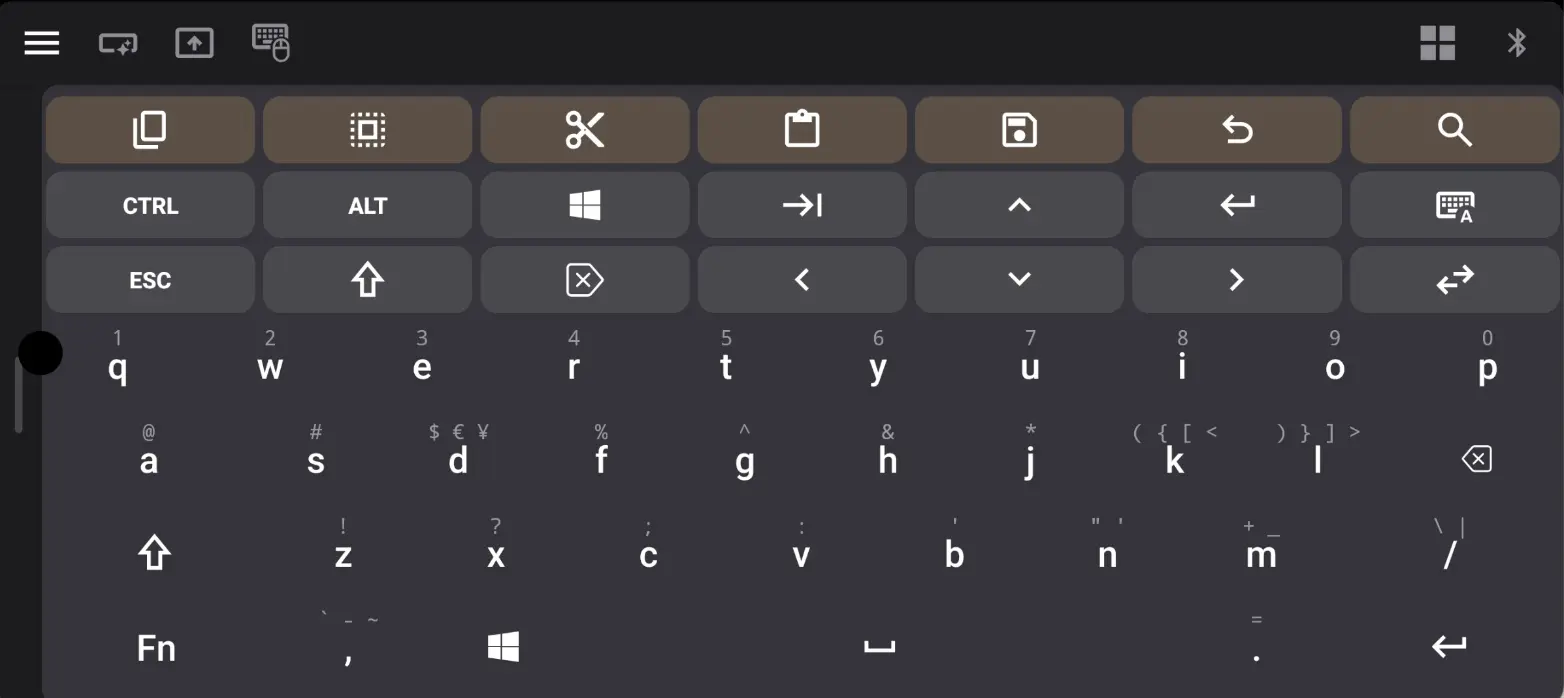
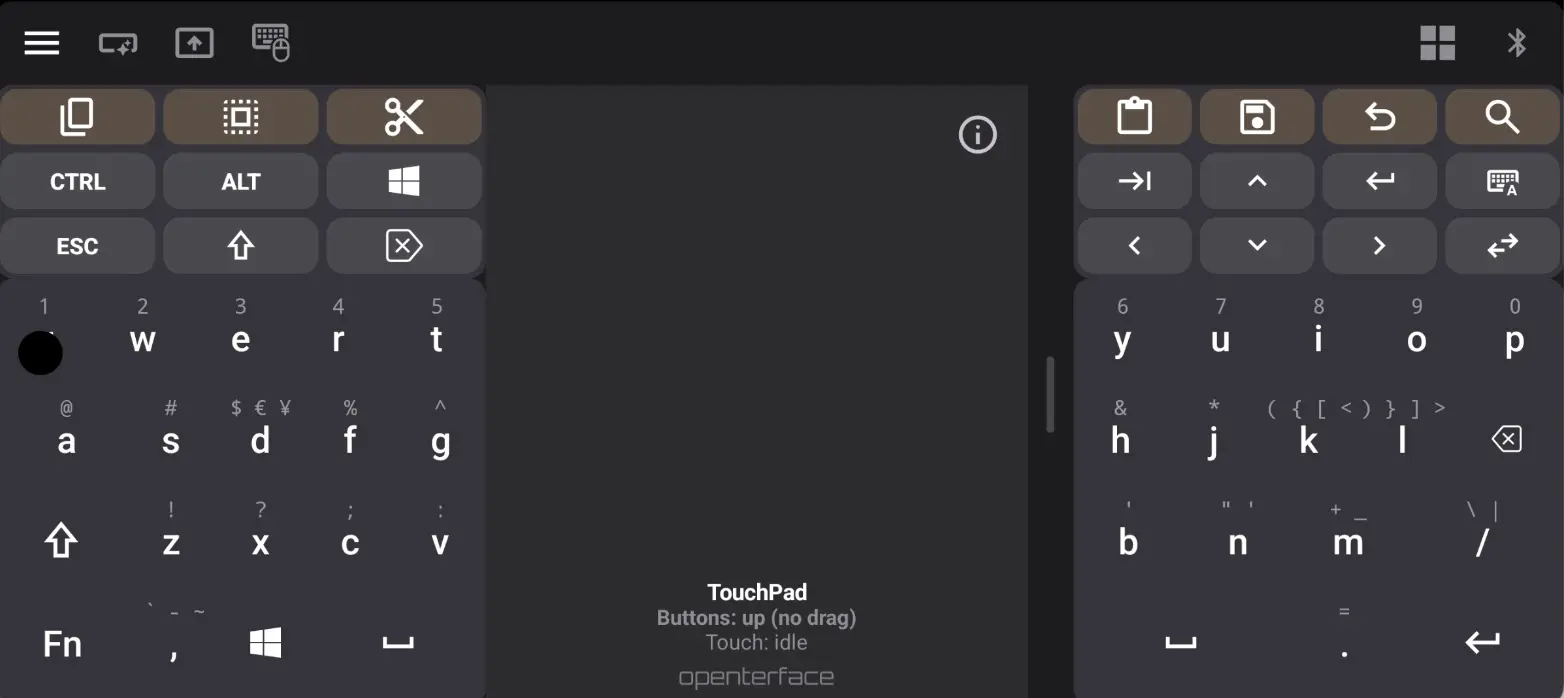
Gamepad: Preset Pipeline v7
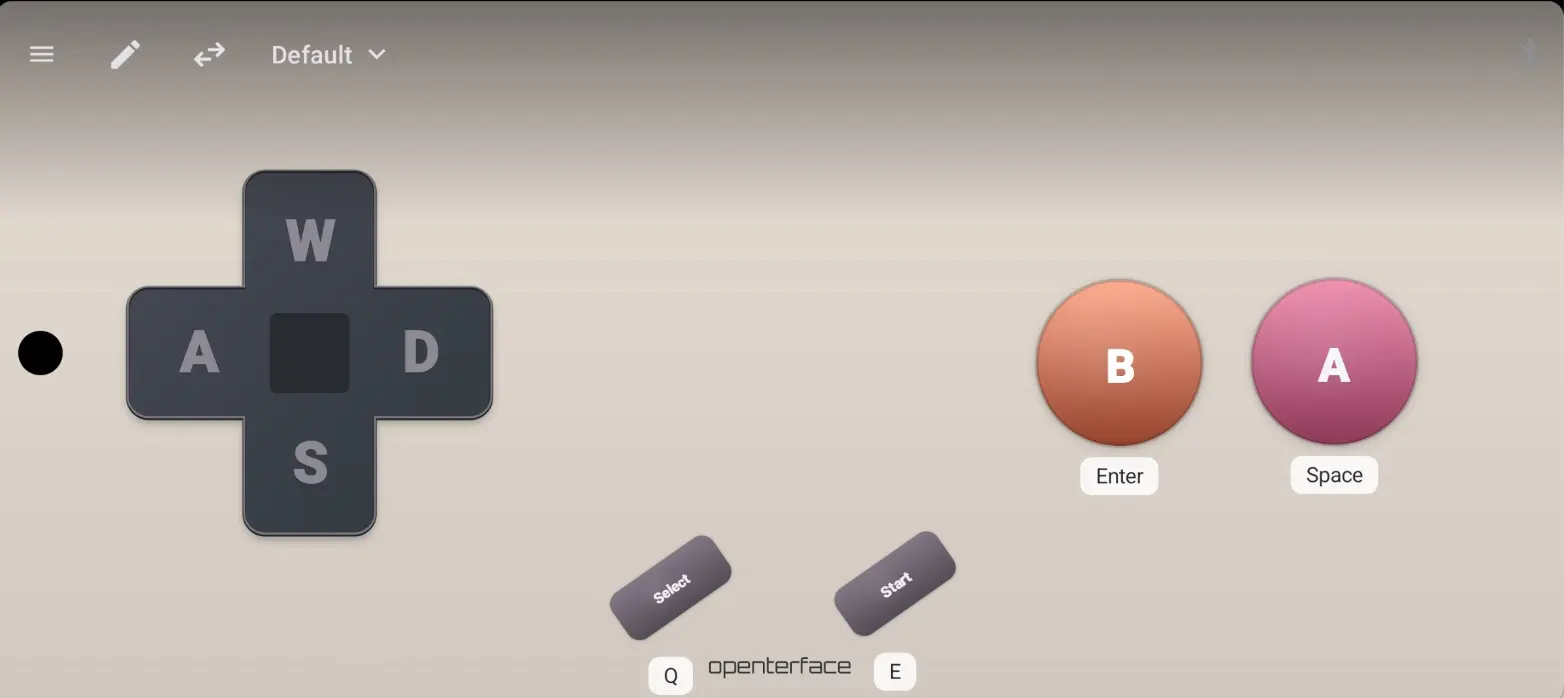
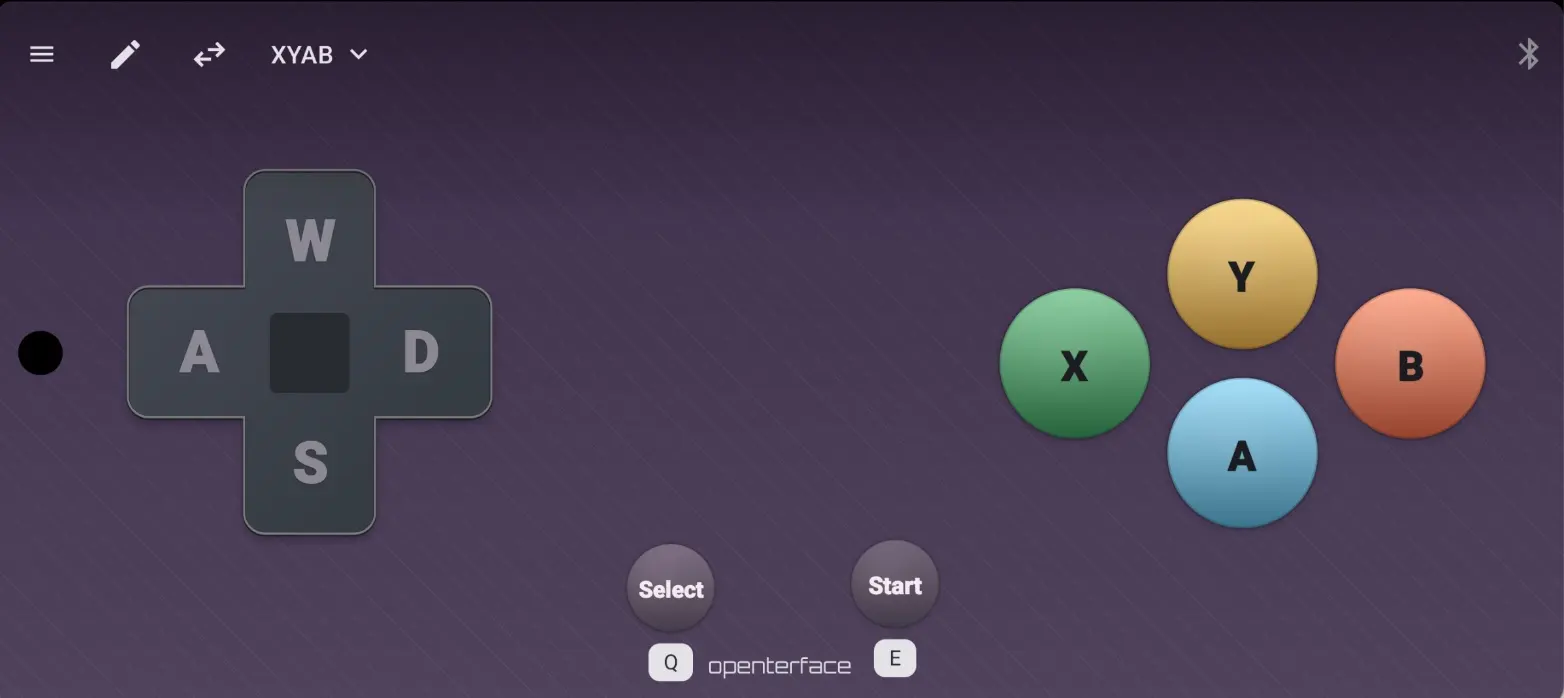
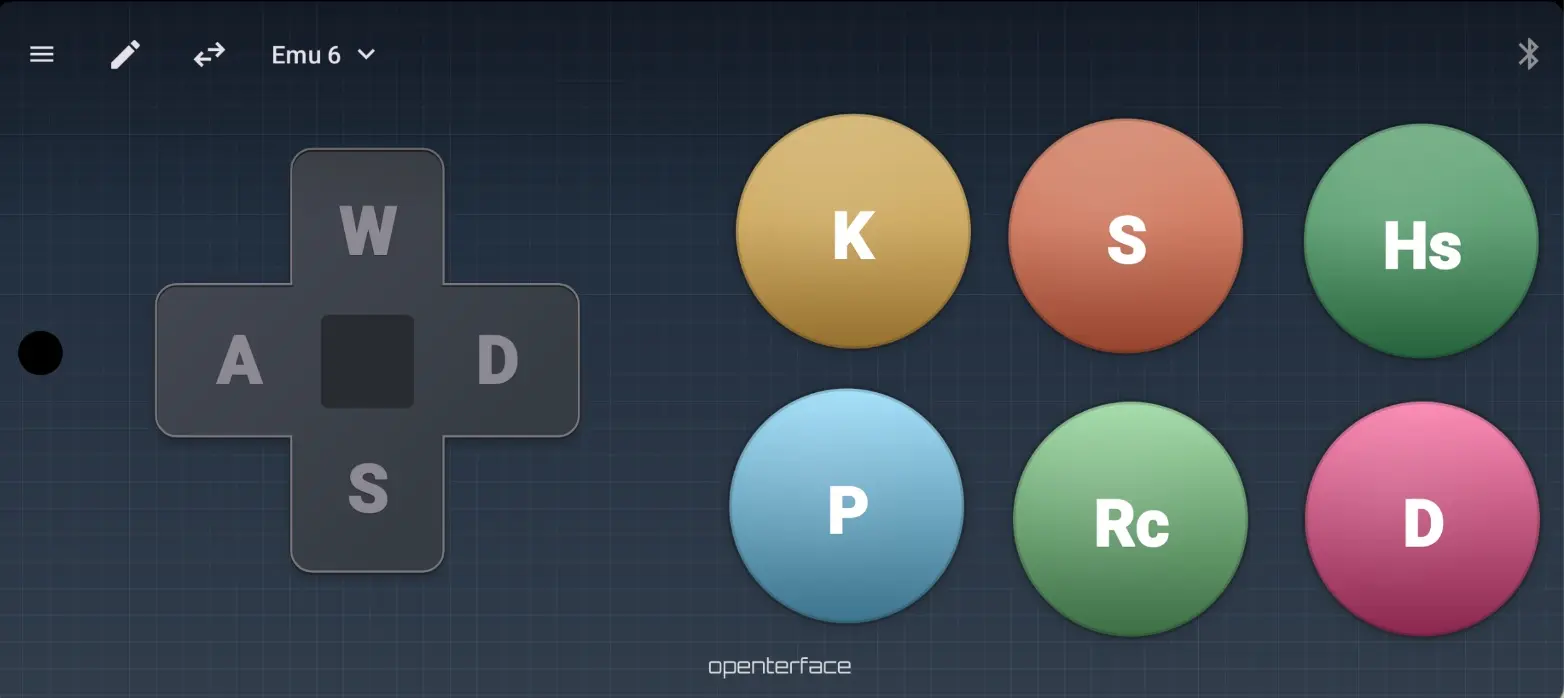
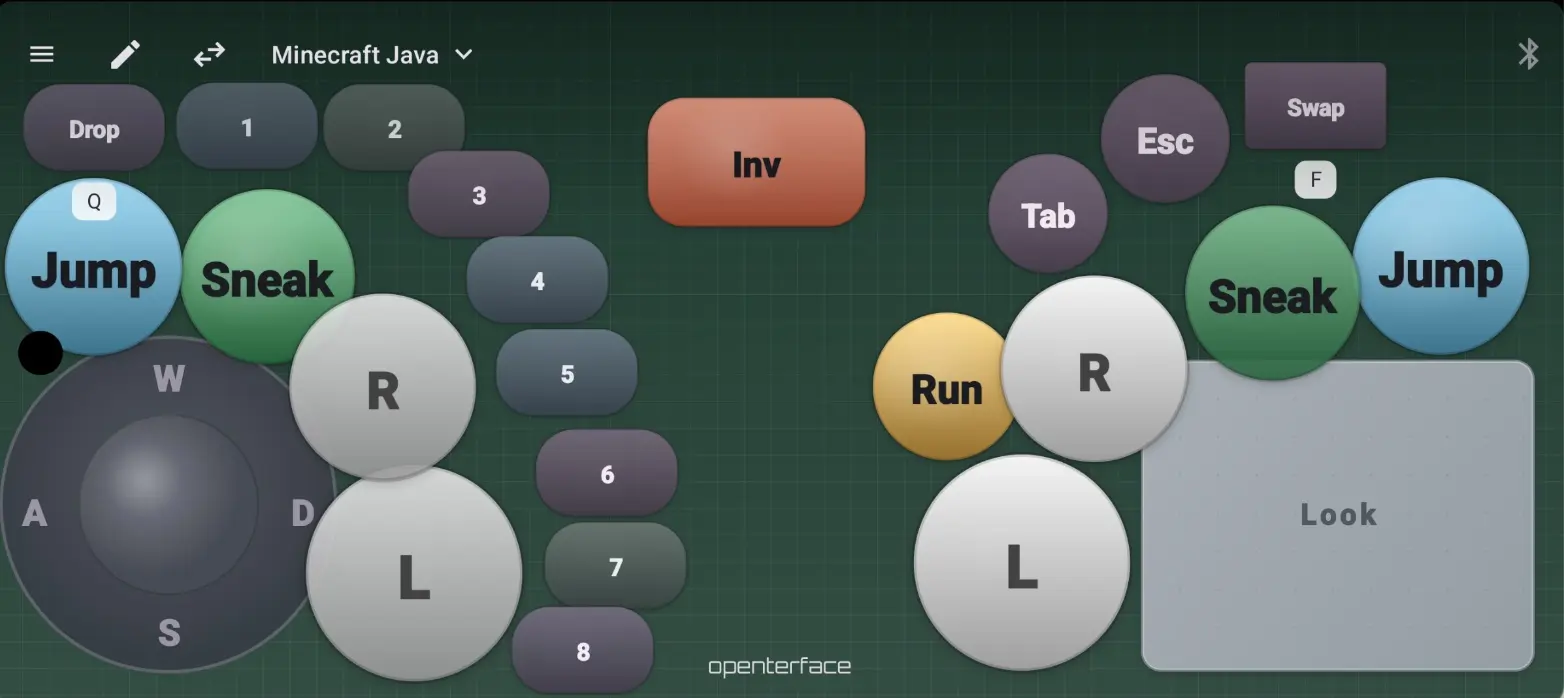
The gamepad now uses a proper preset system that lets you save, load, import, and export custom controller layouts.
What changed
- Preset store v7 replaces the old built-in layouts. The classic factory presets (
preset_classic_*) and Two buttons (preset_two_buttons) have been removed from disk. Onlypreset_defaultremains as the deletion-protected factory layout. - Schema v7 makes
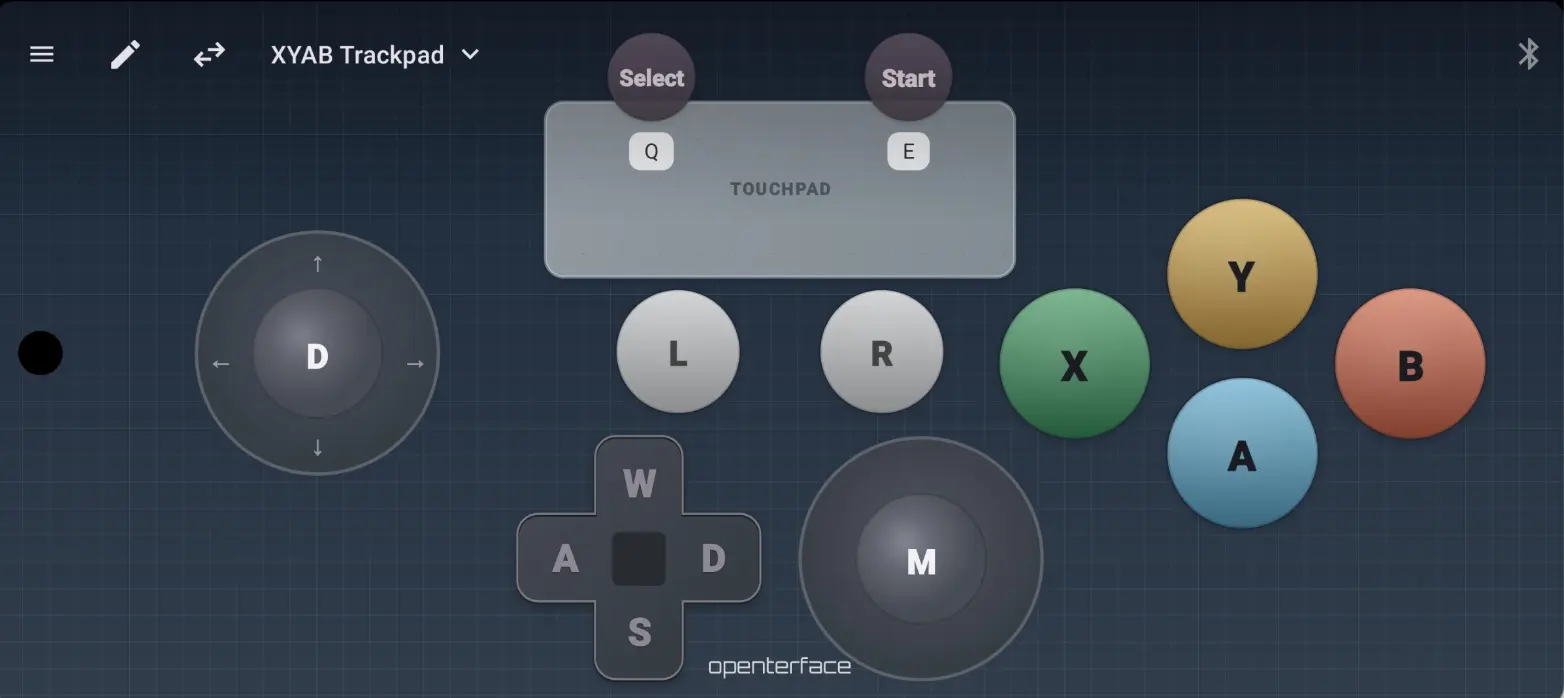
stick_leftoptional. A layout can now have no left-thumb module at all. The Add module menu insertsstick_left,stick_left_2,stick_left_3, and so on. - Multi-touchpad support: presets may include multiple touchpads (
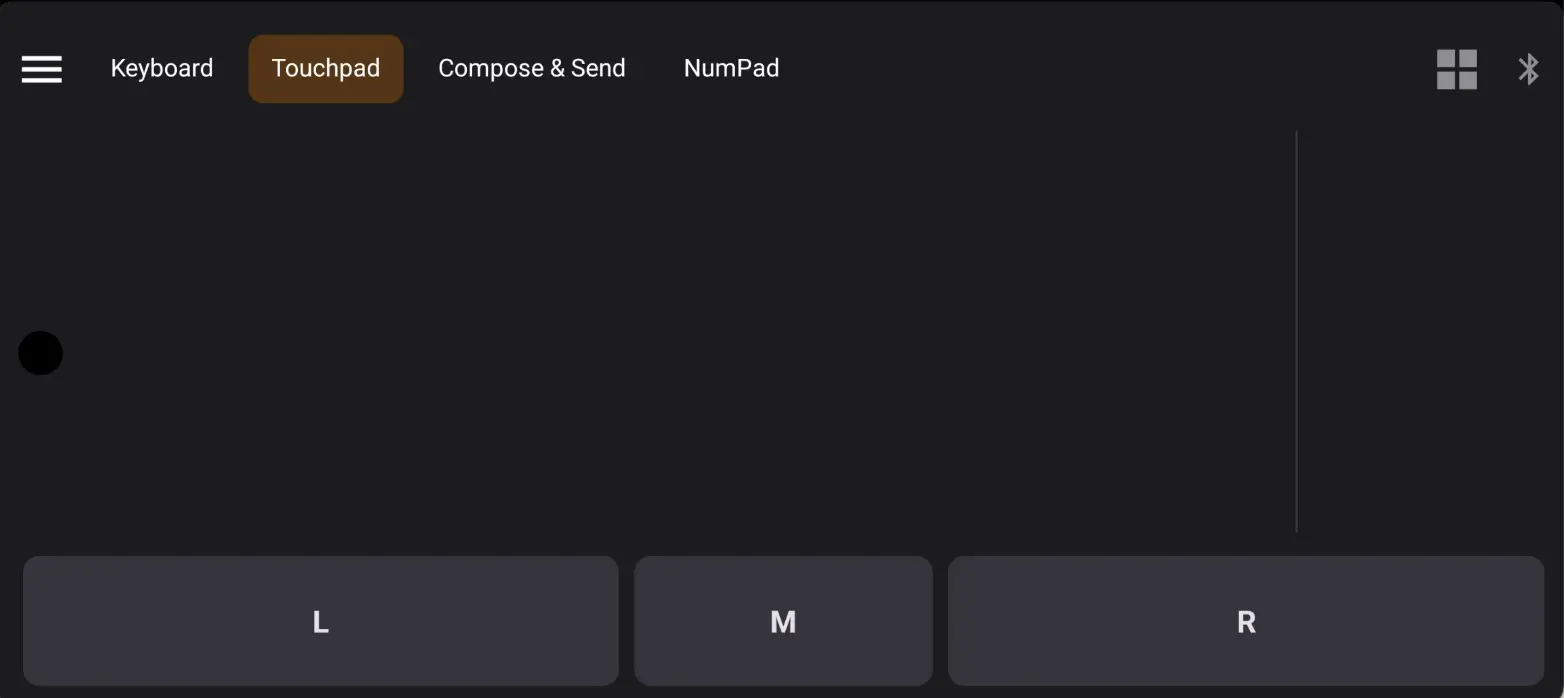
touchpad_1,touchpad_2). Adding a touchpad allocates the next available id with a slightly offset anchor. Bundled L/M/R mouse buttons are shared across all touchpads. - Touchpad mouse button sizing: mouse buttons now use a larger default draw radius. You can adjust size via long-press Mouse button size on the touchpad, or This button size on individual mouse modules.
- Aux stick defaults:
stick_left_2+default to D-pad cross + WASD mapping.
Preset management
- Tap the Preset chip in the toolbar to cycle through available layouts
- Long-press for the full preset list with import, add module, and export options
- Bundled emu-6 layout ships as the starter preset
- Export creator supports i18n for sharing presets across languages
Keyboard & Mouse (Basic)
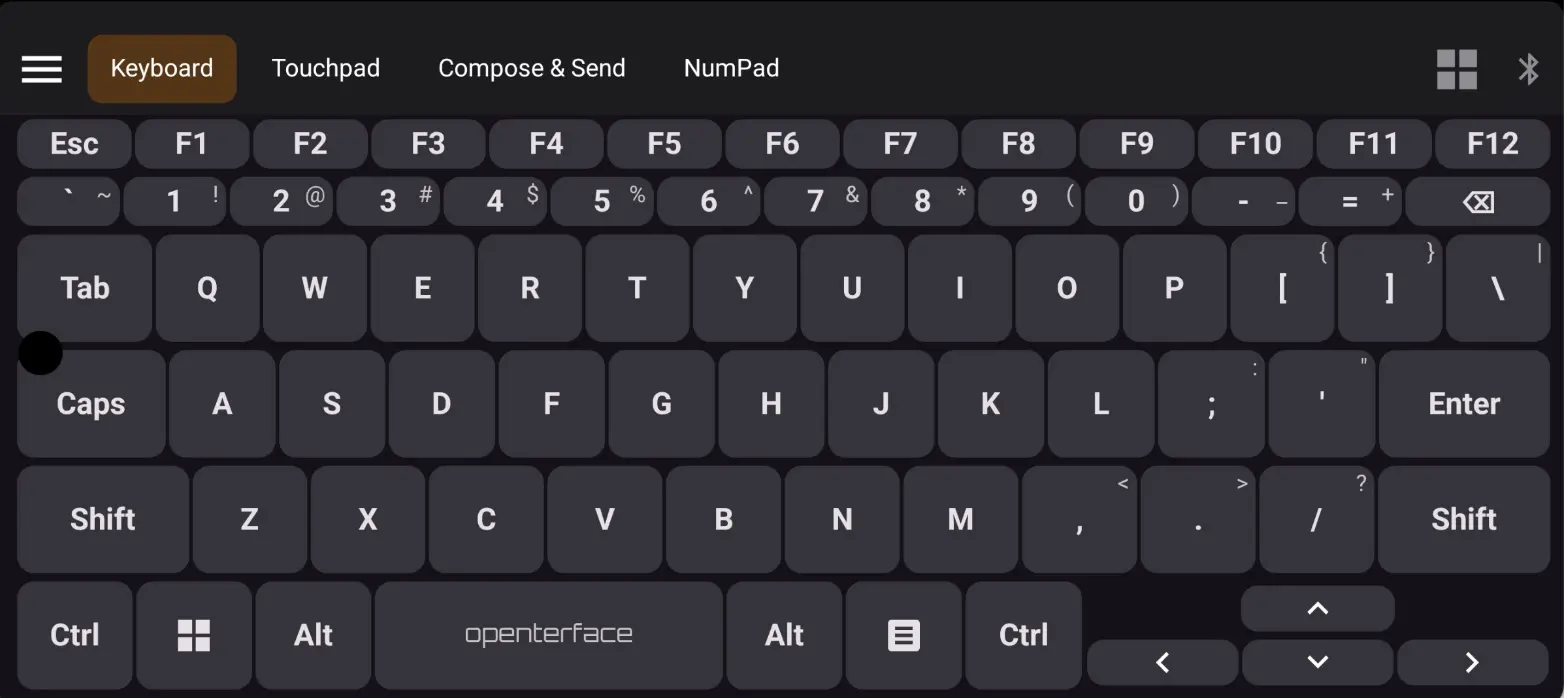
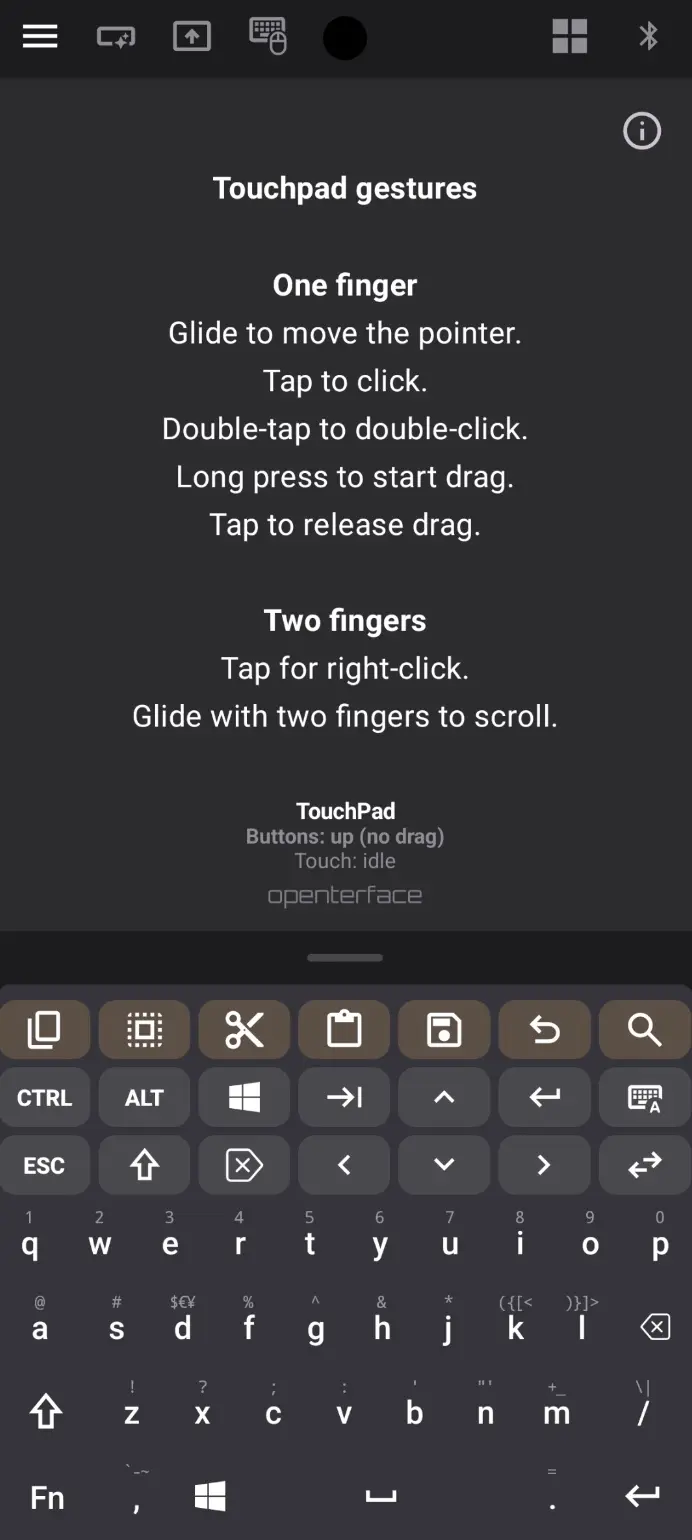
A dedicated full-screen keyboard tier designed for focused typing without the app header.
What you get
- Full-screen keyboard without the main app header for more screen real estate
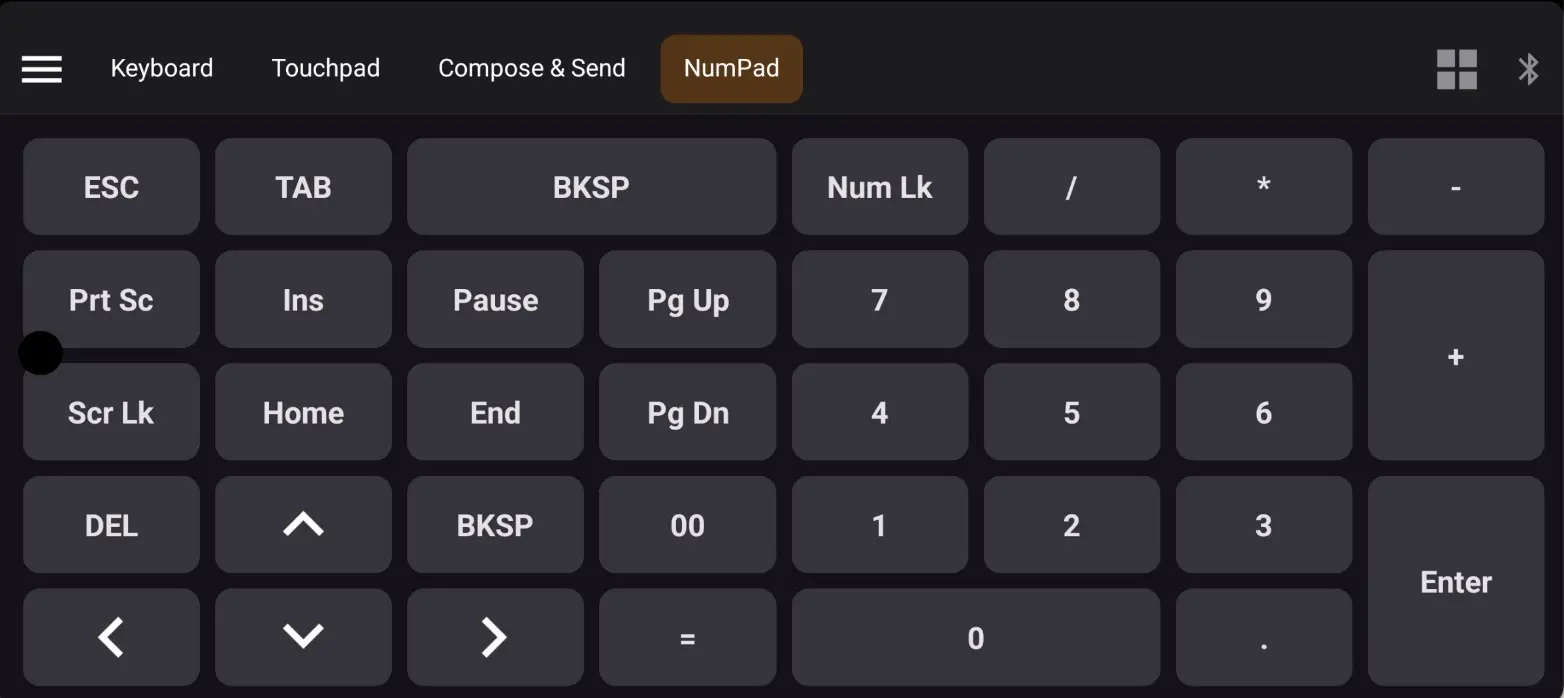
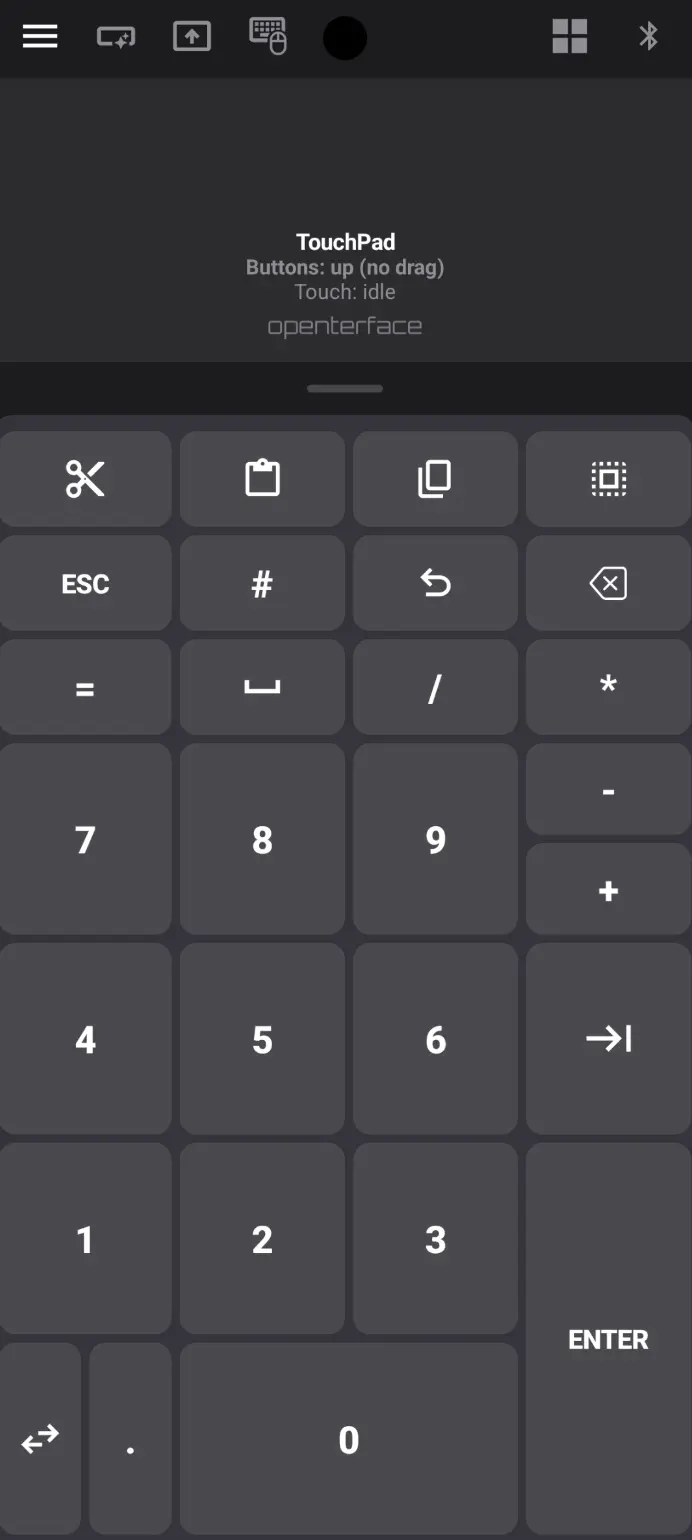
- Portrait and landscape numpad: 5x8 grid in portrait (PrtSc / ScrLk / Pause / Home / End), 8x5 grid in landscape with tall +, Enter, and 00
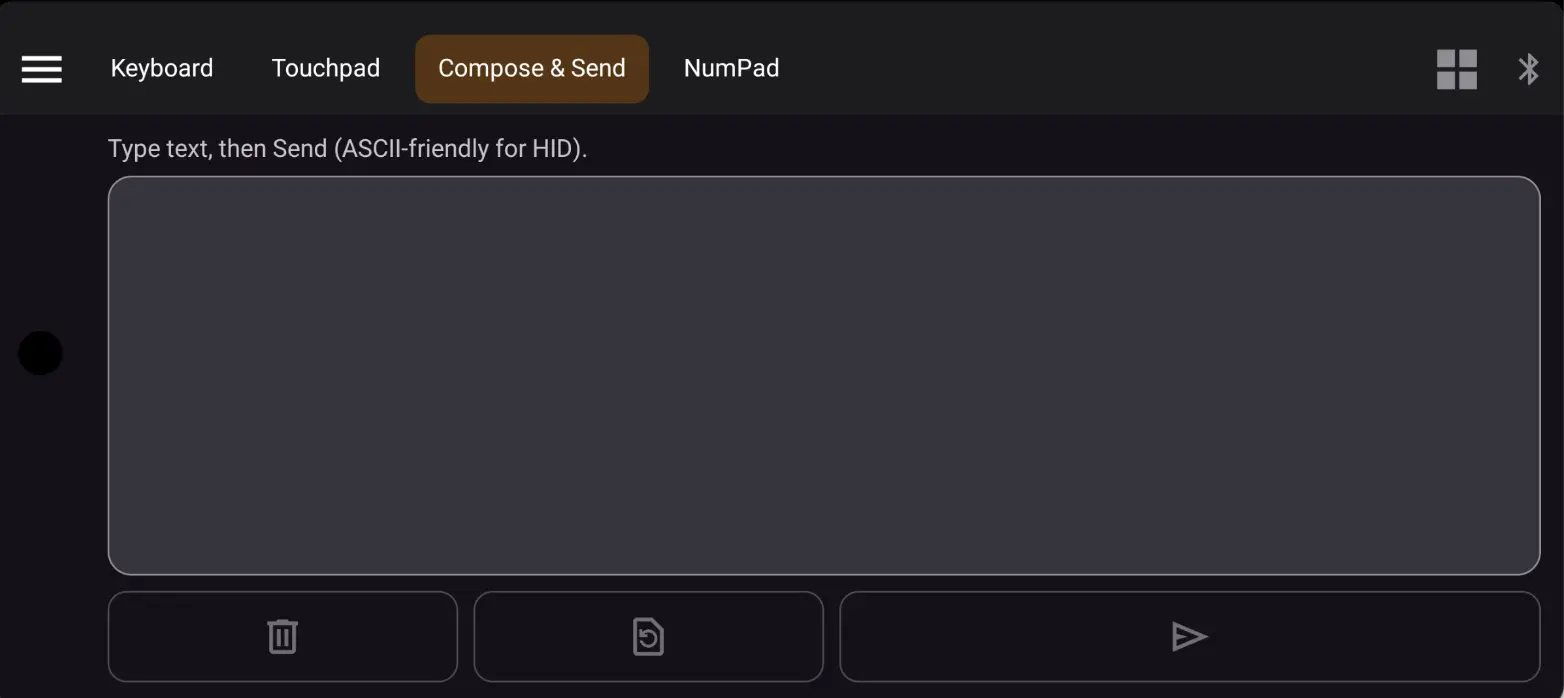
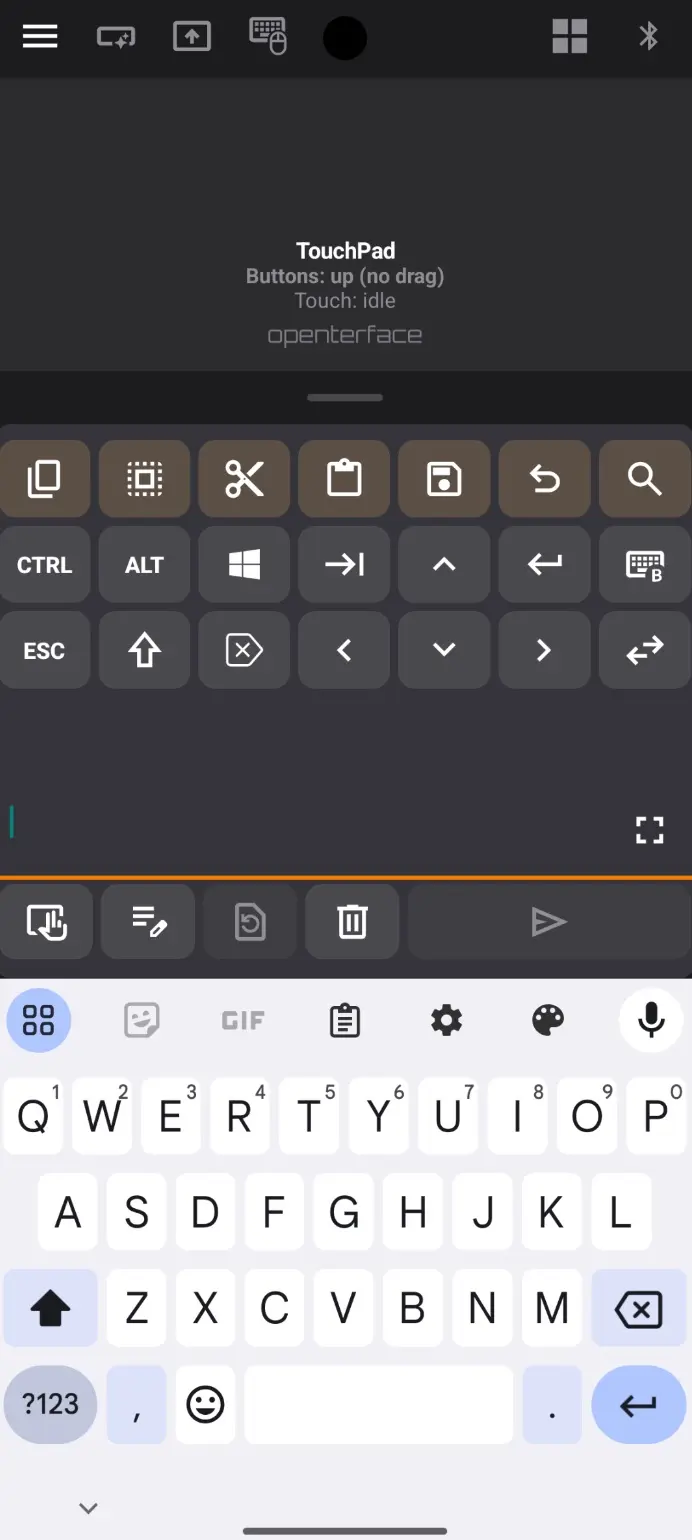
- IME ASCII-only send gate: type long text in compose mode, send as clean HID keystrokes
- Long-press repeat: hold character/function keys for auto-repeat (~400ms delay, ~50ms repeat)
- Key preview: floating bubble shows the effective label above the key when pressed
- Haptic feedback and theme-aware key surfaces
Sticky vs Chord modifiers
Settings let you choose between sticky modifiers (tap to latch) and momentary + long-press chord (default) for the Basic keyboard.
Branding
- App display name is now KeyMod
- Welcome screen shows the KeyMod wordmark
- CI artifacts and APK filenames use KeyMod prefix
applicationIdremainscom.openterface.keymodfor in-place upgrades
What is unchanged
Keyboard & Mouse Pro (composite mode with Shortcut Hub strips, split layouts, and rich IME behavior) remains the full-featured experience it was before.
Get the update
This version (0.15): KeyMod-release-0.15.apk
Beta notice: The KeyMod Android app is still in active beta. The source repo is not yet public — we plan to open-source it after a successful crowdfunding campaign. If you are a beta tester and need the latest APK, reach out to us on Discord and we will get you the build.
Known issues: This release introduces significant changes to the gamepad preset system and the Basic keyboard tier. Our dev team is still testing internally, so you may encounter bugs. If you run into anything unexpected, please report it on Discord — your feedback helps us stabilize faster.
Existing installs upgrade in place.
Works with Mini-KVM and KVM-Go
The KeyMod app is not limited to KeyMod hardware. Existing Openterface users can also try it out:
- KVM-Go: connect via Bluetooth or USB
- Mini-KVM: connect via USB
Upgrade notes
- Gamepad: your previous two-button preference automatically activates the Two buttons preset on first launch. Use Preset (tap to cycle, long-press for the list) instead of the old 1 Button / 2 Buttons control.
- Keyboard & Mouse (Basic): open Basic to experience the full-screen keyboard. Pro mode is available via the navigation drawer for the complete Shortcut Hub experience.
Best regards,
Openterface Team | TechxArtisan